WebSockets
You can use WebSockets with FastAPI.
Install websockets
Section titled “Install websockets”Add websockets (a Python library that makes it easy to use the "WebSocket" protocol) to your project:
$ uv add websockets

---> 100%
WebSockets client
Section titled “WebSockets client”In production
Section titled “In production”In your production system, you probably have a frontend created with a modern framework like React, Vue.js or Angular.
And to communicate using WebSockets with your backend you would probably use your frontend's utilities.
Or you might have a native mobile application that communicates with your WebSocket backend directly, in native code.
Or you might have any other way to communicate with the WebSocket endpoint.
But for this example, we'll use a very simple HTML document with some JavaScript, all inside a long string.
This, of course, is not optimal and you wouldn't use it for production.
In production you would have one of the options above.
But it's the simplest way to focus on the server-side of WebSockets and have a working example:
from fastapi import FastAPI, WebSocket
from fastapi.responses import HTMLResponse

app = FastAPI()

html = """
<!DOCTYPE html>
<html>
    <head>
        <title>Chat</title>
    </head>
    <body>
        <h1>WebSocket Chat</h1>
        <form action="" onsubmit="sendMessage(event)">
            <input type="text" id="messageText" autocomplete="off"/>
            <button>Send</button>
        </form>
        <ul id='messages'>
        </ul>
        <script>
            var ws = new WebSocket("ws://localhost:8000/ws");
            ws.onmessage = function(event) {
                var messages = document.getElementById('messages')
                var message = document.createElement('li')
                var content = document.createTextNode(event.data)
                message.appendChild(content)
                messages.appendChild(message)
            };
            function sendMessage(event) {
                var input = document.getElementById("messageText")
                ws.send(input.value)
                input.value = ''
                event.preventDefault()
            }
        </script>
    </body>
</html>
"""


@app.get("/")
async def get():
    return HTMLResponse(html)


@app.websocket("/ws")
async def websocket_endpoint(websocket: WebSocket):
    await websocket.accept()
    while True:
        data = await websocket.receive_text()
        await websocket.send_text(f"Message text was: {data}")
Create a websocket
Section titled “Create a websocket”In your FastAPI application, create a websocket:
from fastapi import FastAPI, WebSocket
from fastapi.responses import HTMLResponse

app = FastAPI()

html = """
<!DOCTYPE html>
<html>
    <head>
        <title>Chat</title>
    </head>
    <body>
        <h1>WebSocket Chat</h1>
        <form action="" onsubmit="sendMessage(event)">
            <input type="text" id="messageText" autocomplete="off"/>
            <button>Send</button>
        </form>
        <ul id='messages'>
        </ul>
        <script>
            var ws = new WebSocket("ws://localhost:8000/ws");
            ws.onmessage = function(event) {
                var messages = document.getElementById('messages')
                var message = document.createElement('li')
                var content = document.createTextNode(event.data)
                message.appendChild(content)
                messages.appendChild(message)
            };
            function sendMessage(event) {
                var input = document.getElementById("messageText")
                ws.send(input.value)
                input.value = ''
                event.preventDefault()
            }
        </script>
    </body>
</html>
"""


@app.get("/")
async def get():
    return HTMLResponse(html)


@app.websocket("/ws")
async def websocket_endpoint(websocket: WebSocket):
    await websocket.accept()
    while True:
        data = await websocket.receive_text()
await websocket.send_text(f"Message text was: {data}")Await for messages and send messages
Section titled “Await for messages and send messages”In your WebSocket route you can await for messages and send messages.
from fastapi import FastAPI, WebSocket
from fastapi.responses import HTMLResponse

app = FastAPI()

html = """
<!DOCTYPE html>
<html>
    <head>
        <title>Chat</title>
    </head>
    <body>
        <h1>WebSocket Chat</h1>
        <form action="" onsubmit="sendMessage(event)">
            <input type="text" id="messageText" autocomplete="off"/>
            <button>Send</button>
        </form>
        <ul id='messages'>
        </ul>
        <script>
            var ws = new WebSocket("ws://localhost:8000/ws");
            ws.onmessage = function(event) {
                var messages = document.getElementById('messages')
                var message = document.createElement('li')
                var content = document.createTextNode(event.data)
                message.appendChild(content)
                messages.appendChild(message)
            };
            function sendMessage(event) {
                var input = document.getElementById("messageText")
                ws.send(input.value)
                input.value = ''
                event.preventDefault()
            }
        </script>
    </body>
</html>
"""


@app.get("/")
async def get():
    return HTMLResponse(html)


@app.websocket("/ws")
async def websocket_endpoint(websocket: WebSocket):
    await websocket.accept()
    while True:
        data = await websocket.receive_text()
        await websocket.send_text(f"Message text was: {data}")
You can receive and send binary, text, and JSON data.
Try it
Section titled “Try it”Put your code in a file main.py and then run your application:
$ uv run fastapi dev

<span style="color: green;">INFO</span>:     Uvicorn running on http://127.0.0.1:8000 (Press CTRL+C to quit)
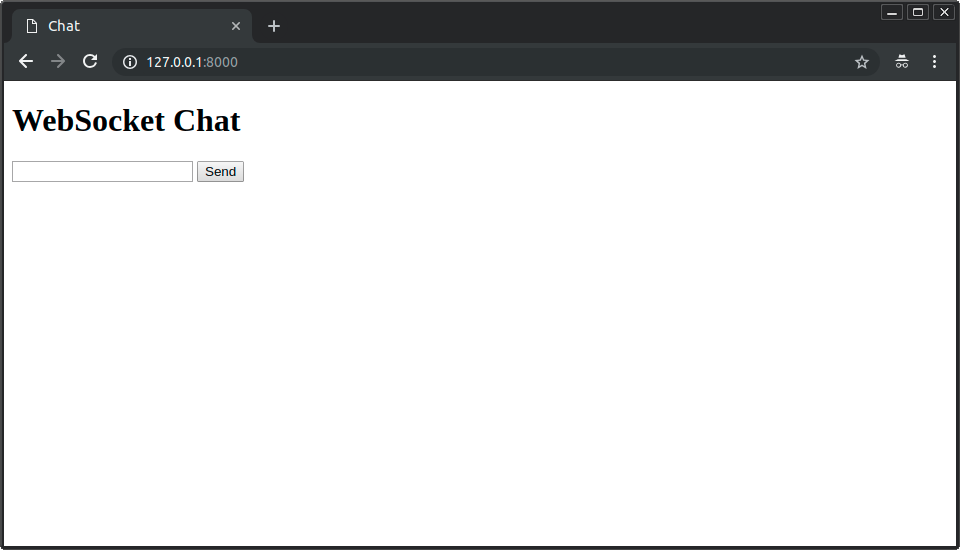
Open your browser at http://127.0.0.1:8000.
You will see a simple page like:
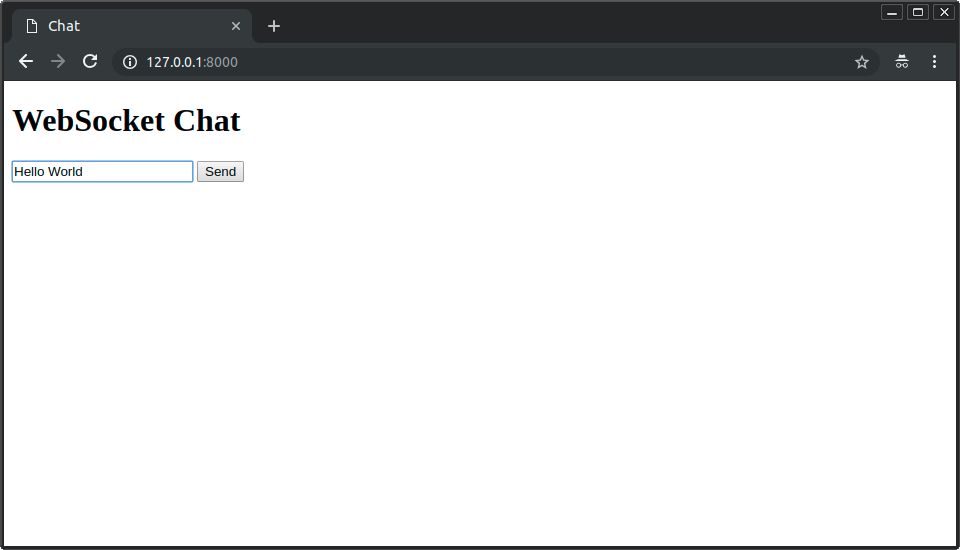
You can type messages in the input box, and send them:
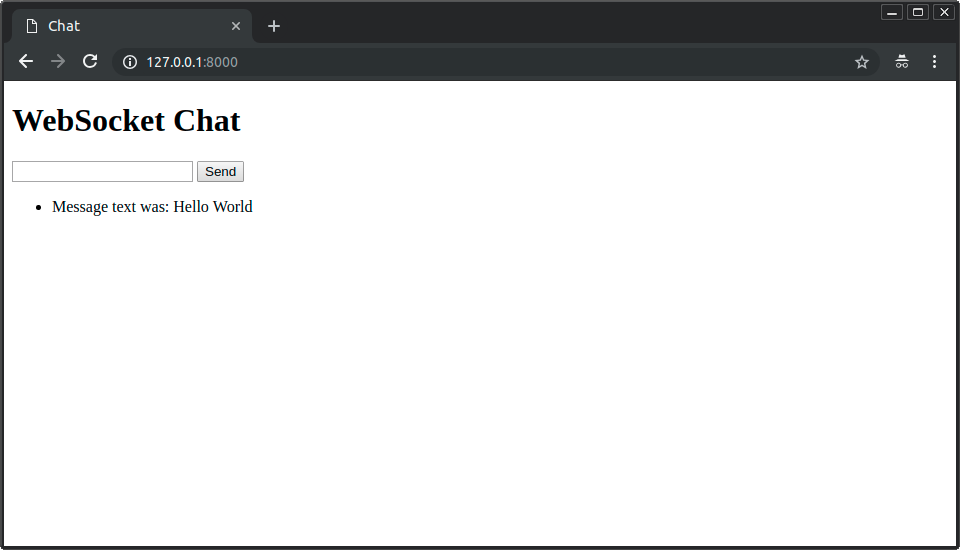
And your FastAPI application with WebSockets will respond back:
You can send (and receive) many messages:
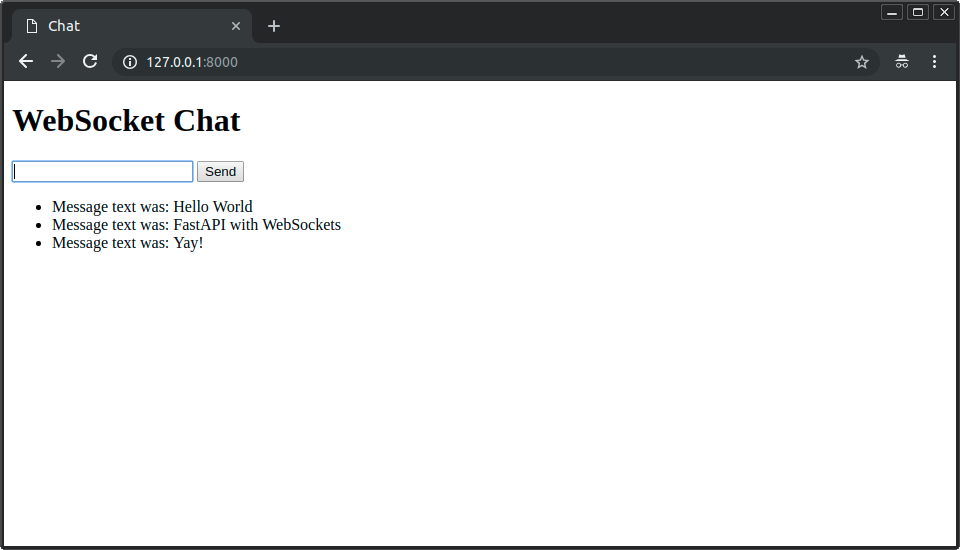
And all of them will use the same WebSocket connection.
Using Depends and others
Section titled “Using Depends and others”In WebSocket endpoints you can import from fastapi and use:
DependsSecurityCookieHeaderPathQuery
They work the same way as for other FastAPI endpoints/path operations:
from typing import Annotated

from fastapi import (
    Cookie,
    Depends,
    FastAPI,
    Query,
    WebSocket,
    WebSocketException,
    status,
)
from fastapi.responses import HTMLResponse

app = FastAPI()

html = """
<!DOCTYPE html>
<html>
    <head>
        <title>Chat</title>
    </head>
    <body>
        <h1>WebSocket Chat</h1>
        <form action="" onsubmit="sendMessage(event)">
            <label>Item ID: <input type="text" id="itemId" autocomplete="off" value="foo"/></label>
            <label>Token: <input type="text" id="token" autocomplete="off" value="some-key-token"/></label>
            <button onclick="connect(event)">Connect</button>
            <hr>
            <label>Message: <input type="text" id="messageText" autocomplete="off"/></label>
            <button>Send</button>
        </form>
        <ul id='messages'>
        </ul>
        <script>
        var ws = null;
            function connect(event) {
                var itemId = document.getElementById("itemId")
                var token = document.getElementById("token")
                ws = new WebSocket("ws://localhost:8000/items/" + itemId.value + "/ws?token=" + token.value);
                ws.onmessage = function(event) {
                    var messages = document.getElementById('messages')
                    var message = document.createElement('li')
                    var content = document.createTextNode(event.data)
                    message.appendChild(content)
                    messages.appendChild(message)
                };
                event.preventDefault()
            }
            function sendMessage(event) {
                var input = document.getElementById("messageText")
                ws.send(input.value)
                input.value = ''
                event.preventDefault()
            }
        </script>
    </body>
</html>
"""


@app.get("/")
async def get():
    return HTMLResponse(html)


async def get_cookie_or_token(
    websocket: WebSocket,
    session: Annotated[str | None, Cookie()] = None,
    token: Annotated[str | None, Query()] = None,
):
    if session is None and token is None:
        raise WebSocketException(code=status.WS_1008_POLICY_VIOLATION)
    return session or token


@app.websocket("/items/{item_id}/ws")
async def websocket_endpoint(
    *,
    websocket: WebSocket,
    item_id: str,
    q: int | None = None,
    cookie_or_token: Annotated[str, Depends(get_cookie_or_token)],
):
    await websocket.accept()
    while True:
        data = await websocket.receive_text()
        await websocket.send_text(
            f"Session cookie or query token value is: {cookie_or_token}"
        )
        if q is not None:
            await websocket.send_text(f"Query parameter q is: {q}")
await websocket.send_text(f"Message text was: {data}, for item ID: {item_id}")Try the WebSockets with dependencies
Section titled “Try the WebSockets with dependencies”Run your application:
$ uv run fastapi dev

<span style="color: green;">INFO</span>:     Uvicorn running on http://127.0.0.1:8000 (Press CTRL+C to quit)
Open your browser at http://127.0.0.1:8000.
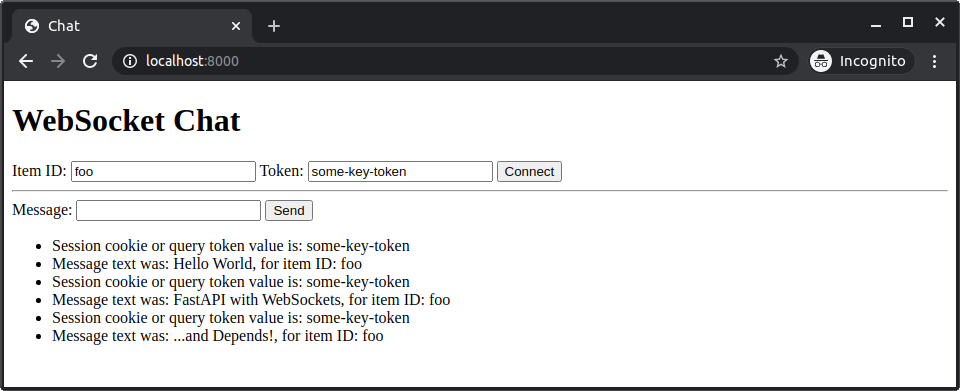
There you can set:
- The "Item ID", used in the path.
- The "Token" used as a query parameter.
With that you can connect the WebSocket and then send and receive messages:
Handling disconnections and multiple clients
Section titled “Handling disconnections and multiple clients”When a WebSocket connection is closed, the await websocket.receive_text() will raise a WebSocketDisconnect exception, which you can then catch and handle like in this example.
from fastapi import FastAPI, WebSocket, WebSocketDisconnect
from fastapi.responses import HTMLResponse

app = FastAPI()

html = """
<!DOCTYPE html>
<html>
    <head>
        <title>Chat</title>
    </head>
    <body>
        <h1>WebSocket Chat</h1>
        <h2>Your ID: <span id="ws-id"></span></h2>
        <form action="" onsubmit="sendMessage(event)">
            <input type="text" id="messageText" autocomplete="off"/>
            <button>Send</button>
        </form>
        <ul id='messages'>
        </ul>
        <script>
            var client_id = Date.now()
            document.querySelector("#ws-id").textContent = client_id;
            var ws = new WebSocket(`ws://localhost:8000/ws/${client_id}`);
            ws.onmessage = function(event) {
                var messages = document.getElementById('messages')
                var message = document.createElement('li')
                var content = document.createTextNode(event.data)
                message.appendChild(content)
                messages.appendChild(message)
            };
            function sendMessage(event) {
                var input = document.getElementById("messageText")
                ws.send(input.value)
                input.value = ''
                event.preventDefault()
            }
        </script>
    </body>
</html>
"""


class ConnectionManager:
    def __init__(self):
        self.active_connections: list[WebSocket] = []

    async def connect(self, websocket: WebSocket):
        await websocket.accept()
        self.active_connections.append(websocket)

    def disconnect(self, websocket: WebSocket):
        self.active_connections.remove(websocket)

    async def send_personal_message(self, message: str, websocket: WebSocket):
        await websocket.send_text(message)

    async def broadcast(self, message: str):
        for connection in self.active_connections:
            await connection.send_text(message)


manager = ConnectionManager()


@app.get("/")
async def get():
    return HTMLResponse(html)


@app.websocket("/ws/{client_id}")
async def websocket_endpoint(websocket: WebSocket, client_id: int):
    await manager.connect(websocket)
    try:
        while True:
            data = await websocket.receive_text()
            await manager.send_personal_message(f"You wrote: {data}", websocket)
            await manager.broadcast(f"Client #{client_id} says: {data}")
    except WebSocketDisconnect:
        manager.disconnect(websocket)
        await manager.broadcast(f"Client #{client_id} left the chat")
To try it out:
- Open the app with several browser tabs.
- Write messages from them.
- Then close one of the tabs.
That will raise the WebSocketDisconnect exception, and all the other clients will receive a message like:
Client #1596980209979 left the chatMore info
Section titled “More info”To learn more about the options, check Starlette's documentation for: